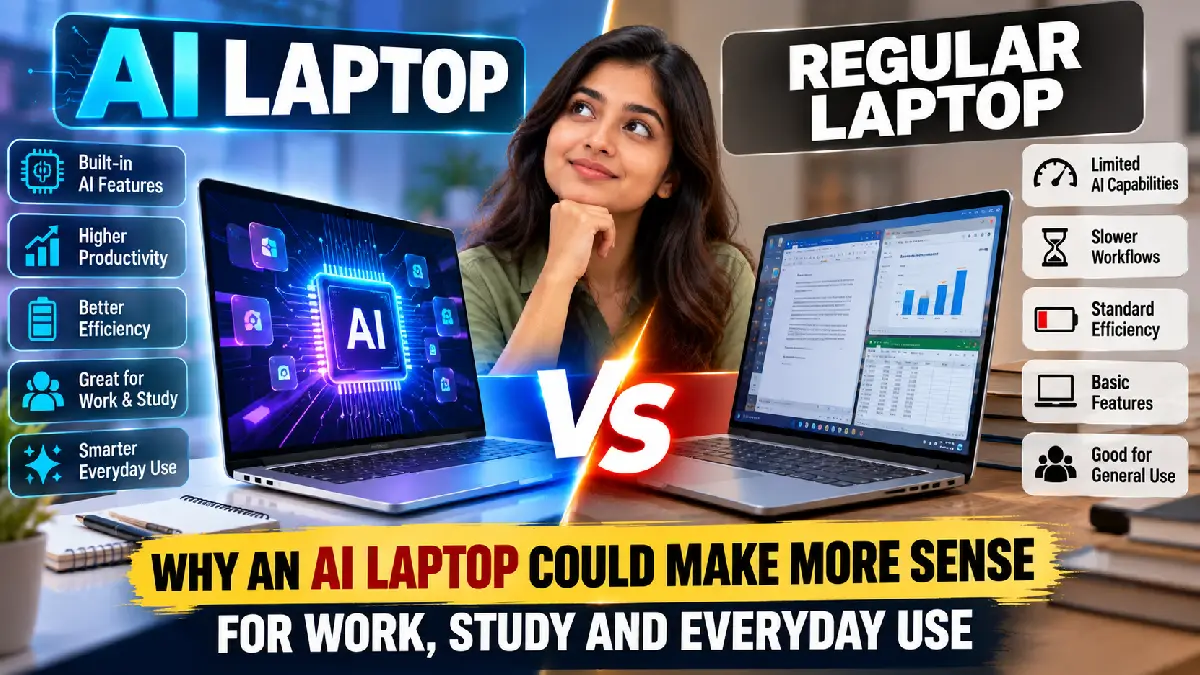
Laptops have evolved beyond traditional processors and graphics hardware. The latest generation of AI laptops is designed with dedicated hardware for artificial intelligence tasks, allowing users to run certain AI features more efficiently while handling everyday computing needs. For professionals, students and general users, an AI-powered laptop can offer practical advantages over a conventional laptop.
What Is an AI Laptop?
An AI laptop typically includes a dedicated Neural Processing Unit (NPU) alongside the CPU and GPU. The NPU is designed to handle specific AI workloads efficiently, including background processing, image enhancement, voice recognition and generative AI features.
Instead of sending every AI-related task to the processor or cloud services, compatible applications can use the NPU for supported workloads. This can improve efficiency while reducing the processing burden on the main CPU.
Better Productivity for Work
For professionals, AI laptops can make everyday tasks more convenient. AI-powered features can help with meeting transcription, document summarisation, writing assistance, background-noise reduction and video-call enhancements.
Creative professionals may also benefit from AI-assisted photo and video editing tools. Features such as automatic subject selection, image enhancement and background removal can reduce repetitive work and speed up common editing tasks.
For employees who frequently work with documents, spreadsheets, presentations and communication tools, built-in AI capabilities can provide additional productivity options without requiring a separate high-end workstation for every task.
Useful for Students
Students can use AI laptops for research, note-taking, presentations and study-related activities. Compatible AI applications can help summarise lengthy documents, organise information, generate ideas and assist with writing.
The combination of a modern processor, fast storage and AI acceleration can also make multitasking smoother when students have multiple browser tabs, video lectures, productivity applications and creative tools open simultaneously.
However, students should still verify AI-generated information rather than relying on it without checking sources.
AI Features for Everyday Use
AI laptops are not limited to professional applications. Everyday features can include webcam enhancements, voice processing, smart image editing and personalised system functions.
During video calls, AI-based noise cancellation can help reduce background sounds, while automatic framing and eye-contact-related features can improve the overall conferencing experience on supported software.
Potential Battery and Performance Benefits
One of the biggest advantages of an NPU is efficiency. AI workloads designed for local processing can be handled using a specialised processor rather than placing the same workload entirely on the CPU or GPU.
This can potentially improve power efficiency for supported tasks, although actual battery life depends on the laptop’s processor, display, battery capacity, software and usage patterns.
Should You Choose an AI Laptop?
An AI laptop can make more sense for users who regularly rely on AI tools, video conferencing, content creation or productivity software. For basic browsing, email and document work, a regular modern laptop may still be sufficient.
The key is to consider processor performance, RAM, storage, battery life, display quality and software compatibility, rather than choosing a laptop solely because it carries an AI label.