Google is expanding the Gemini for Home experience, aiming to make smart-home voice control feel more conversational. Instead of memorising rigid phrases, users can speak naturally, combine compatible requests and ask follow-up questions when using supported Gemini features.
What changes with Gemini for Home?
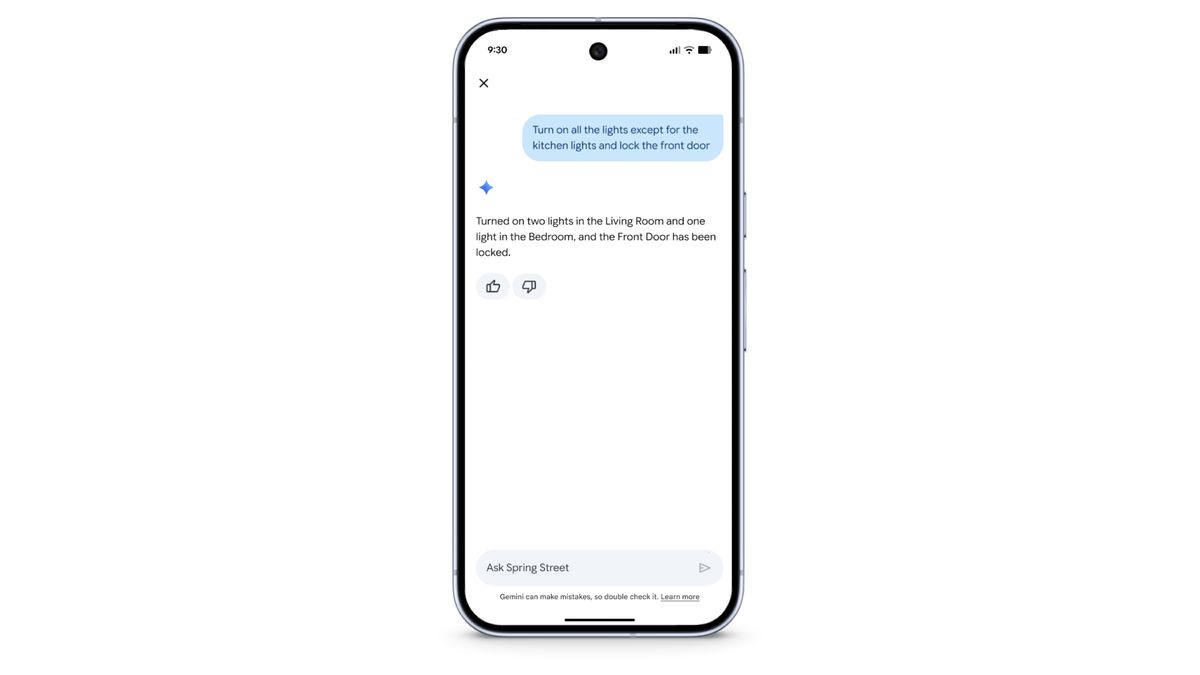
The new voice assistant is designed to understand the intent behind a request rather than requiring a specific command structure. For example, a user may ask to turn off selected lights while leaving another room illuminated, or describe a home routine in everyday language. Compatible devices and automations determine which actions can actually be completed.
Google’s support documentation says Gemini for Home is rolling out in early access to select languages and countries. The availability and experience can vary based on hardware, account configuration, subscription and region. Users should check the Google Home app and official support page to see whether the feature is available for their device.
Compatible speakers and displays
Google says Gemini for Home is available on supported Google Home and Nest speakers and displays, with newer devices designed around the experience. Some features require an eligible Google Home Premium plan, and a live conversation session does not necessarily support direct smart-home actions in the same way as ordinary voice commands. Users may need to end a conversation and issue a separate command to control devices.
Why natural commands matter
Smart-home systems can become difficult to manage as a household adds lights, thermostats, cameras, locks and routines. More flexible language understanding could make complex requests easier, especially for people who do not remember device names or automation syntax. The actual result still depends on device compatibility, permissions and network availability.
How to check for the update
Open the Google Home app, install the latest available version, and check the assistant settings or official Gemini for Home help page. Do not assume that every Gemini feature is active in every country or on every speaker. For security-sensitive actions, review the command confirmation and device status rather than relying only on the assistant’s verbal response.
Sources: Google Home: Gemini for Home and Google Home support documentation.